How Viryze promotes your TikTok videos with real TikTok ads
Viryze turns one of your TikTok videos into an official TikTok ad, shows it to several audiences at once, and keeps your budget on the people who follow.
- From $30, one-time
- First promotion refund up to $50
- No password
Runs on official TikTok Spark Ads, from the team behind Sprizzy.

Promote a TikTok video in three steps
You do the first two steps in a few minutes. TikTok and our team handle the third.
Step 1
Sign in with TikTok and pick a video
Choose any of your public videos and a goal: followers or views.

Step 2
Set a budget and approve the ad
From $30. You send a Spark Ads code from the TikTok app, so TikTok knows you approved the ad. We never see your password.
Step 3
We test audiences and keep what works
After TikTok's ad review, your video runs to several audiences at once: broad, interest-based and fans of similar creators. Audiences that don't deliver are paused, and the rest keep your budget.


The full walkthrough
Viryze is a managed TikTok promotion service for creators and local businesses, from the team behind Sprizzy. It turns one of your TikTok videos into an official TikTok Spark Ad, shows it to several audiences at once, and keeps your budget on the people who follow. Promotions start at $30, are paid once per video, and need no ad account or password.
Here is how our TikTok promotion service works, step by step: what you do, what we do, and what TikTok does. It takes a few minutes on your side. The rest happens while you get on with making videos.
Step 1: Sign in with TikTok
You start by signing in with your TikTok account, on TikTok’s own login page. TikTok then shares a short list with Viryze: your public profile (name and photo), your follower and like counts, and your list of videos, so you can pick one.
That access is read-only. Viryze can’t post, comment, send messages or change anything on your account, and it never sees your password. You can remove Viryze’s access at any time in your TikTok app settings.
Step 2: Pick a video, a goal and a budget
Choose any public video from your account. Older videos are fine. Then choose what you want more of: followers, views, or visits to a link such as your music, shop or listing.
Tell us where your viewers are (whole countries, or US states and ZIP codes for a local business) and describe who you want to reach: their interests, or creators they already watch. We turn that into the audiences we test.
Last, set a budget. It starts at $30, and you pay once for that video. There is no subscription. Common budgets are Starter at $30, Growth at $50, Pro at $100; you can also type your own amount. See what each budget includes.
Step 3: Approve the ad with a Spark Ads code
A Spark Ad is TikTok’s own ad format for promoting a post that already exists. The ad plays your real post, so its likes, comments and shares stay on it, and new followers go to your account.
To let Viryze run your video as a Spark Ad, you create a code for that one video in the TikTok app and paste it into Viryze. You do this right after you pay, and the promotion can’t start without it:
- In the TikTok app, go to your profile and open the video.
- Tap the three dots (...), swipe to Ad settings, and turn on Ad authorization. The first time, TikTok asks you to agree to its advertising terms.
- Choose 60 days, tap Authorize, then tap Save.
- Tap Video code, then Copy code, and paste it into Viryze.
TikTok’s own guide to creating a video code lists the same steps. You can pick 7, 30, 60 or 365 days; 60 covers the whole promotion with room to spare. One catch: once a post is authorized for ads, TikTok won’t let you edit its caption, so fix any typos first.
Why a code and not a password? Because TikTok built the code for exactly this job: letting an advertiser promote a creator’s post with the creator’s permission. The code covers one video, for the time you chose, and you can switch it off in the same Ad settings screen. It does not open your account. TikTok explains the format in its Spark Ads help article.
Step 4: TikTok reviews the ad, then it starts
Our team sets up your Spark Ad in TikTok’s ad system with your code. Then, like every ad on TikTok, it goes through TikTok’s ad review: TikTok checks the video and the ad against its advertising policies before anyone sees it. TikTok says most ads are reviewed within 24 hours, though some take longer.
Once TikTok approves it, the promotion goes live. If TikTok's ad review doesn't approve your video, we tell you why and refund the budget that wasn't spent: to your original payment method, or as Viryze wallet credit if you'd rather promote a different video. The usual reasons are music that isn’t cleared for ads, or claims TikTok’s ad policies don’t allow. The refund policy has the details.
Step 5: Several audiences are tested at once
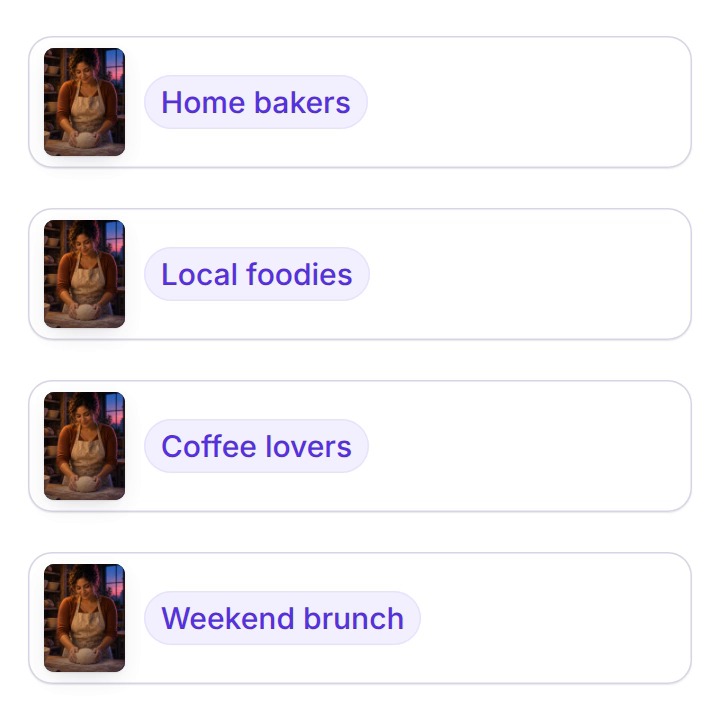
Your promotion runs to several audiences side by side: a broad audience, audiences built from the interests you named, and fans of similar creators. Each one starts with a share of the budget.
As results come in, we compare them. On a followers goal, that means what each new follower costs in each audience. Audiences that cost far more than the best one are paused, and the rest keep your budget. At least one audience always keeps running. A promotion usually runs for 5 to 7 days.
Fans of similar creators (Similar creators)
Gets more budget
Home baking (Interest)
Gets more budget
Everyone in your area (Broad)
Keeps running
Food videos (Interest)
Paused
That’s the whole process. Ready to try it on one video?
From $30, one-time. TikTok sign-in, no password.
What you see while it runs
Your Viryze dashboard shows each promotion’s video views, new followers, likes, engagement rate and how much of the budget has been spent. Promotions with a link goal also show website visits.
When a promotion ends, any budget that was not spent goes back to your Viryze wallet, and you can put it toward your next promotion. The followers you gained stay yours.
Can a third-party service run TikTok ads for my video?
Yes. TikTok’s Spark Ads format exists so that an advertiser can promote a post from someone else’s account, with that person’s permission. The permission is the code you create in the TikTok app. Viryze uses that code to run your video from its own TikTok ad account, so you don’t need an ad account or a password, and the ad still goes through TikTok’s ad review.
TikTok’s Spark Ads help article says it plainly: advertisers can “publish ads using organic posts made by other creators (with their authorization).” Brands use the same format to run creators’ videos as ads.
What you get with every promotion
- Your video running as an official TikTok Spark Ad, set up by our team, so you never touch an ads tool.
- Several audiences tested side by side, built from where your viewers are and who you want to reach, so you don’t have to guess the right one.
- Your budget kept on the audiences that deliver, with costly ones paused while it runs, so more of the money goes where it works.
- A dashboard with views, new followers, likes and spend, so you can see what happened.
- Unspent budget back in your Viryze wallet when the promotion ends.
- A refund of up to $50 on your first promotion if its views or followers come in at least 50% below the published estimate.
- Help from a real person at support@viryze.com.
Where people will see your video
Your video shows up in the For You feed of the people in each audience, marked “Sponsored” or “Ad”, the label TikTok puts on every paid ad. It plays like any other TikTok, with your sound, your caption and your profile, so people can like, comment, share and follow you from it. These are TikTok’s own ad placements, and the people who follow you choose to.
Is Viryze safe for my TikTok account?
Yes. Viryze runs your video as a Spark Ad, TikTok’s own format for promoting a post. You approve it with a code from the TikTok app, TikTok reviews the ad before it runs, and Viryze never asks for your password. The views and follows come from real people TikTok shows the ad to.
What gets accounts in trouble is fake engagement: bots, bought followers and automation. Viryze uses none of it. How Viryze stays within TikTok’s rules.
Who Viryze is for
Creators who already post and want their best videos in front of new people, and small businesses that film their own work: the band, the baker, the barber, the realtor. You don’t need to be big, and you don’t need to learn ads.
- TikTok ads for musicians
- TikTok ads for local businesses
- TikTok ads for restaurants
- TikTok ads for real estate agents
Viryze FAQ
Every question we get about promoting a TikTok video with Viryze, answered in full. Still stuck? Email support@viryze.com.
Getting started
How do I get started with Viryze?
Sign in with TikTok, pick a video, choose a goal and a budget from $30, and pay. Then paste the video's Spark Ads code from the TikTok app. Our team sets up the ad, and it starts once TikTok approves it.
Do I need my own TikTok ad account?
No. Viryze runs the ad from its own TikTok ad account. You don’t need an ad account, a payment method on TikTok, or any ad experience.
Do I need a TikTok business account?
No. You can promote a video from your own account as long as you can turn on ad authorization for it in the TikTok app. If you can’t find Ad settings on a video, email support@viryze.com and we’ll walk you through it.
How is Viryze different from TikTok Promote?
Both run on TikTok’s ad system. TikTok Promote is the fastest way to boost one post from the app. Viryze runs your video as a Spark Ad to several audiences at once and keeps the budget on the ones that follow, without you learning an ads tool. Compare them side by side.
Can I promote an older video?
Yes. You can promote any public video on your account, old or new. A video that already did well with your followers is a good place to start.
Pricing and payment
What is the minimum budget?
$30 per promotion. That is enough to test several audiences on one video, and you can choose any amount above it. See pricing.
How much does each follower cost?
It depends on the video, who sees it and where, so we don’t promise a number. Before you pay, the builder shows an estimate for your budget. While the promotion runs, your dashboard shows views, new followers and spend, so you can see what each follower cost.
Are there hidden fees or a subscription?
No. Each promotion is a one-time payment for one video, and the budget you choose is the total you pay. There is no monthly plan and nothing to cancel.
How can I pay?
By card through Stripe (Visa, Mastercard or American Express), by PayPal, or with credit in your Viryze wallet. Viryze does not store your card number.
Can I get a refund?
Yes, in two cases. If TikTok's ad review doesn't approve your video, we tell you why and refund the budget that wasn't spent: to your original payment method, or as Viryze wallet credit if you'd rather promote a different video. If your first promotion's views or followers come in at least 50% below our published estimate, ask within 7 days of it finishing and we'll refund it, up to $50. The refund policy has the full terms.
Results
Are the followers real?
Yes. Viryze does not create or sell followers. TikTok shows your video as an ad to real people in the audiences we test, and some of them choose to follow you. Every follow, like and comment lands on your own account.
How soon will I see results?
Results start once TikTok approves the ad and it goes live. A promotion usually runs for 5 to 7 days, and your dashboard fills in as the results come in.
How many followers will I get?
Nobody can promise a follower count for a real ad. It depends on your video, your audience and your budget. Pricing lists estimated views for each budget, and the first-promotion refund applies if views or followers come in at least 50% below that estimate.
Will the new followers engage with my videos?
They followed after watching your video, so they chose you. Like any follower, they can see your next posts. How much they engage depends on what you post next.
What will I see in my dashboard?
Video views, new followers, likes, engagement rate and how much of the budget has been spent. Promotions with a link goal also show website visits.
Seen enough? Start with one video.
From $30, one-time. TikTok sign-in, no password.
Running a promotion
How long does a promotion run?
Usually 5 to 7 days, until its budget is spent.
Can I promote more than one video?
Yes. Each promotion is one video with its own budget, and you can run several at once.
Can I change the audience after it starts?
Not once it is live. You don’t need the perfect audience up front: several audiences are tested, and the ones that don’t deliver are paused.
Can I stop a promotion early?
Yes. Before it starts you can cancel it from your dashboard; once it's running, email support@viryze.com and we'll end it. Either way, budget that was not spent goes back to your Viryze wallet. A promotion ended early is not covered by the first-promotion refund. There is no subscription, so there is nothing to cancel between promotions.
What happens when a promotion ends?
You keep every follower you gained. Your results stay in your dashboard, and any budget that was not spent goes back to your Viryze wallet for your next promotion.
Your account and safety
Do I need to give Viryze my TikTok password?
No, never. You sign in on TikTok’s own page, and you approve the ad with a code. Neither step shares your password with us.
Can TikTok ban or shadowban me for using Viryze?
Viryze only uses TikTok’s own ad system, the same Spark Ads any brand can use, and TikTok reviews every ad. TikTok’s rules act against fake engagement: bots, bought followers and automation. Viryze does none of that.
Will running ads hurt the reach of my other videos?
A Spark Ad is a normal TikTok ad on a post you already made, and running ads is within TikTok’s rules. The ad’s views and likes add to that same post. Viryze never runs bots or automation on your account.
Will TikTok know I’m using Viryze?
TikTok knows the video is running as an ad, because it is one. Viewers see it marked “Sponsored” or “Ad”, which TikTok puts on every paid ad.
How does Viryze protect my data?
TikTok sign-in uses TikTok’s own login, so we never see or store your password. Payments go through Stripe and PayPal, and we don’t store card numbers. The site runs over encrypted HTTPS, and you can ask us to delete your data at any time. See our privacy policy.
Is buying TikTok followers allowed?
No. TikTok’s community guidelines do not allow fake engagement, such as buying followers, likes or views. Paying TikTok to show your video as an ad is allowed: that is what TikTok ads are. Viryze runs ads. It does not sell followers.
Videos and TikTok’s ad review
What kind of videos work best?
Videos that hook people in the first few seconds, have clear sound, and give viewers a reason to want more from you. The video also has to meet TikTok’s ad policies, so skip music you don’t have the rights to use in an ad.
What is a video code?
It’s what the TikTok app calls the Spark Ads authorization code. You create it in the video’s Ad settings. It lets an advertiser run that one video as an ad, for the time you choose, without any access to your account.
How long does TikTok’s ad review take?
TikTok says most ads are reviewed within 24 hours, though some take longer. See TikTok’s ad review FAQ.
Can I edit my caption after the ad starts?
No. TikTok doesn’t allow caption edits once a post is authorized as an ad, so fix any typos before you create the code. It’s in TikTok’s Spark Ads guide.
Can I promote a private video?
Promotions use public videos. TikTok notes that a private video becomes public once it is used in an ad campaign (TikTok’s Spark Ads guide).
Why was my video not approved?
TikTok’s ad review decides. Common reasons are music that isn’t cleared for ads, claims TikTok’s ad policies don’t allow, or content that breaks its rules. If TikTok's ad review doesn't approve your video, we tell you why and refund the budget that wasn't spent: to your original payment method, or as Viryze wallet credit if you'd rather promote a different video.
Keep reading
- PricingOne-time price per video, from $30. What the budget pays for and how refunds work.
- Is Viryze safe?Official Spark Ads, no password, and TikTok reviews every ad before it runs.
- Viryze vs TikTok PromoteBoth run on TikTok ads. When the in-app button is enough, and when testing audiences helps.
- Viryze vs TikTok Ads ManagerRun Spark Ads yourself, or have them run for you. What each one takes.
- TikTok promotion services, comparedThe five kinds of service, who each one suits, and how to spot a follower seller.
- About ViryzeWho runs Viryze, the team behind Sprizzy, and how to say the name.
Your future followers are scrolling right now.
Pick a video, set a budget from $30 and approve the ad. We run it as an official TikTok Spark Ad and keep your budget on the audiences that follow.
From $30, one-time. TikTok sign-in, no password.